Interview practice built around the student.
A CV. A job description. A chance to practise before the real interview. I built stepBot for Step as an AI-powered student support and interview-preparation platform, using the team’s own knowledge resources.
Students answer the questions themselves, by voice or text, then get AI feedback on what they’ve said. That part mattered to the faculty who tried it. They wanted a tool that helped students develop their own skills.
A look around the application.
Actual screens from the student view. Client-specific wording is omitted; no student records or interview answers are shown.
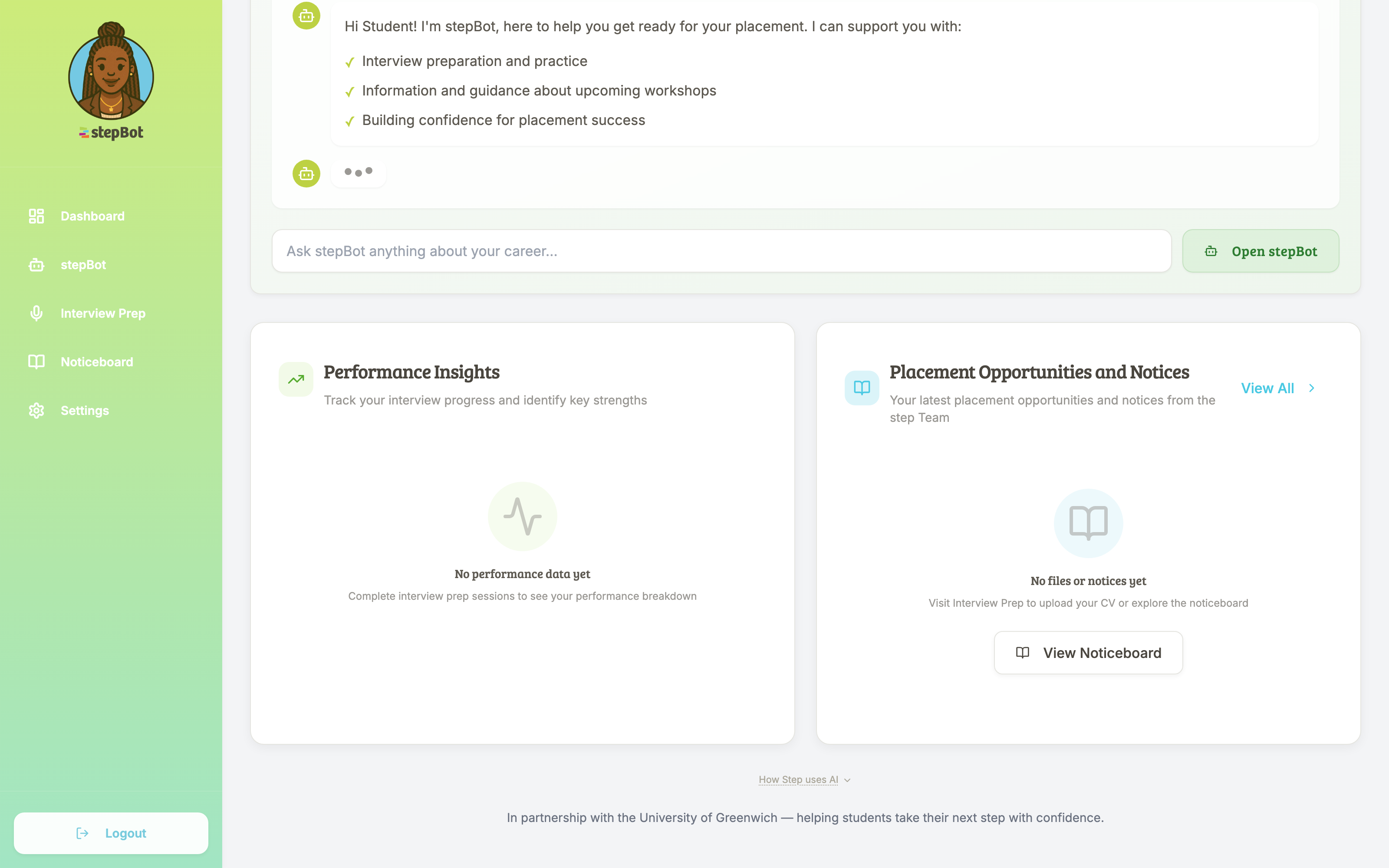
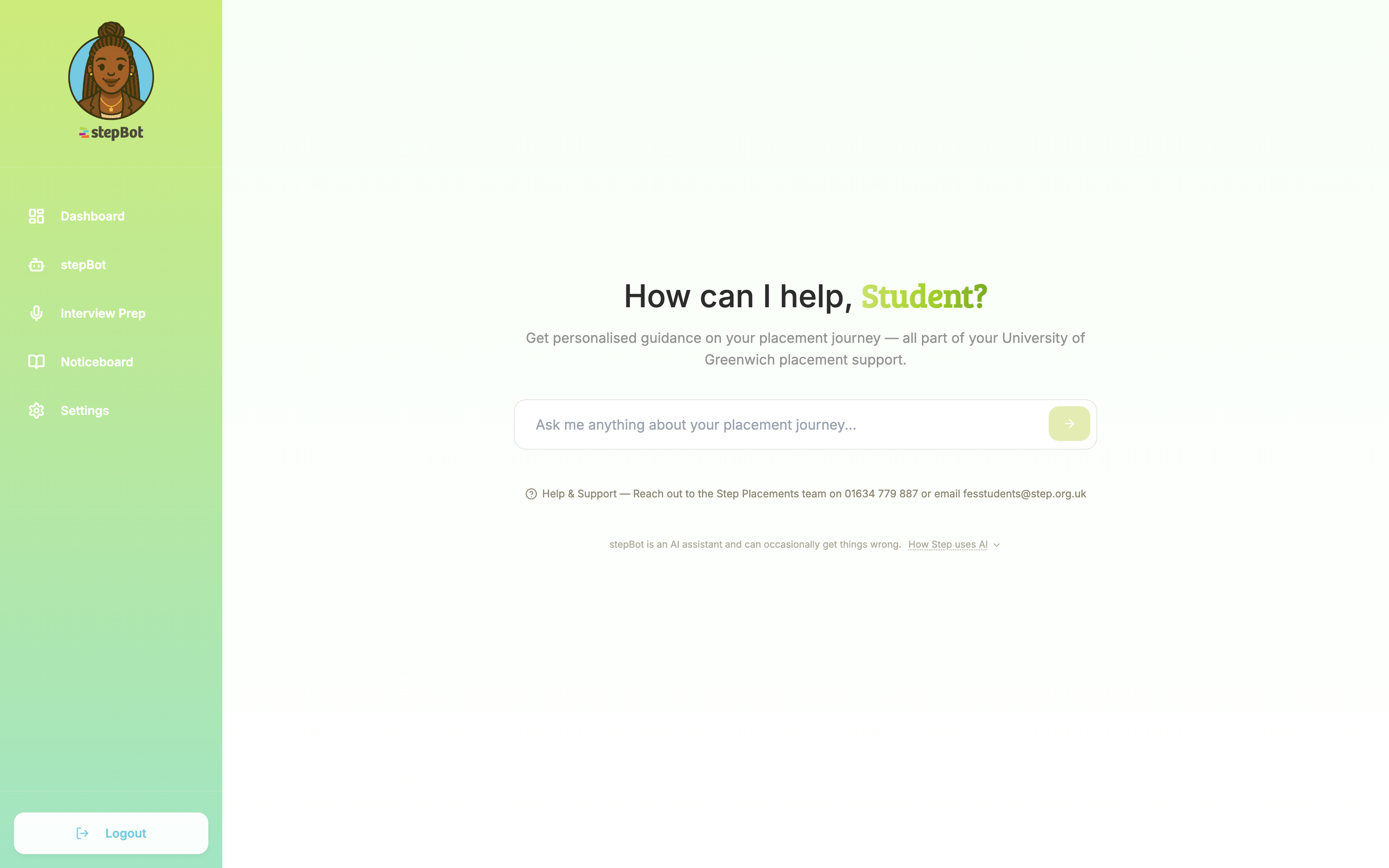
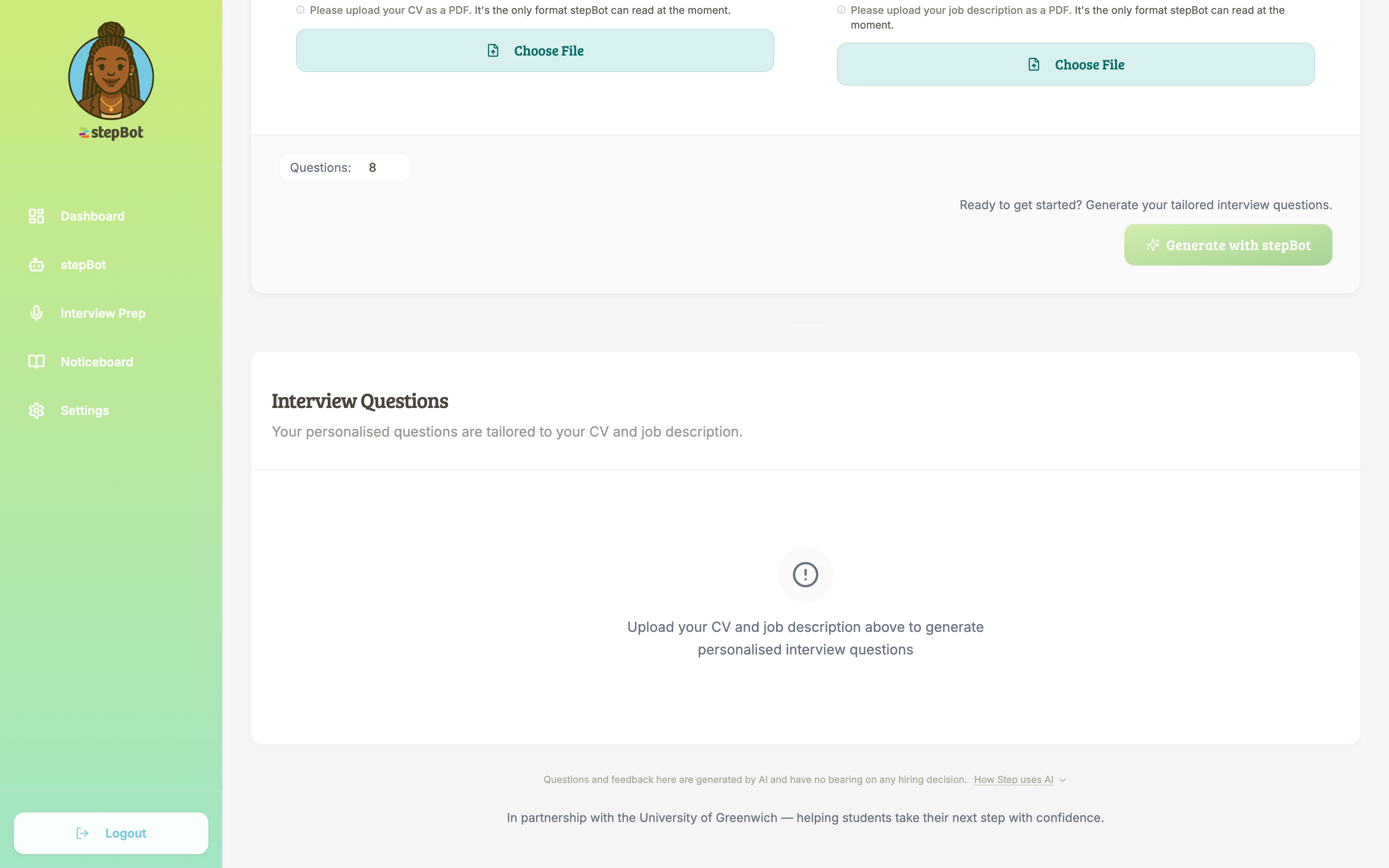
More than a list of interview questions
The brief brought together two things students needed help with. Finding information about their placement, and preparing for the role they wanted to apply for.
For the placement questions, Step already had knowledge resources in SharePoint. I connected those to an AI placement assistant students could ask directly. The team could keep maintaining the source information in the Microsoft tools they already used.
Interview preparation needed a different approach. The student’s own CV and the job description became the starting point, so the practice could relate to that person and that role.
The student does the thinking
A student uploads their CV and a job description. stepBot generates questions based on both. They work through their answers using voice or text, then receive AI-generated feedback.
The order matters. Students have to answer the questions before they see the feedback. They get a chance to work out what they would actually say in an interview.
When Step demonstrated the tool to university faculty, that was one of the things they picked up on. The feedback described it as a coaching tool and welcomed the fact that students had to do the work themselves.
The application around it
I built the student login, dashboard and interview-preparation pages, along with resources and notices. Behind those screens are the tools Step uses to invite students in bulk and manage their cohorts.
The knowledge assistant and interview tool sit inside that application. Step has a place to manage access and information, and students have a place to use them together.
Into use, then improved with the team
We worked through testing and handover, launched the application, and continued with support reviews as new student cohorts came through. Those reviews covered the content connection, invitations and changes the team found useful in practice.
The faculty feedback gives a more personal picture of the work. They could see students using it to develop skills for future interviews as well as the placement in front of them.
What could this look like for your customers?
If your team has useful knowledge and a process people need help working through, we can look at how an application like this could fit.
Talk through your idea